Docs
A clean editor: type / for headings, tables, checklists, callouts, code, images and embeds.
Docs and chat
Docs, chat and comments sit beside the tasks they are about. The decision, the file and the next step stay together.
14-day free trial. No card needed. Cancel anytime.
Kapoor Studio kickoff
What changes
Today
"Which file is final?" Three versions in email and one more in a group chat.
With Voro HQ
One doc that you edit together, with every earlier version one click away.
Today
A decision made in chat on Monday is forgotten by Friday.
With Voro HQ
Turn any message into a task with an owner and a date, in two clicks.
Today
Notifications from five apps, and most of them are noise.
With Voro HQ
One inbox for mentions, assigned comments and reminders. Clear it with the keyboard.
The real app, on demo data
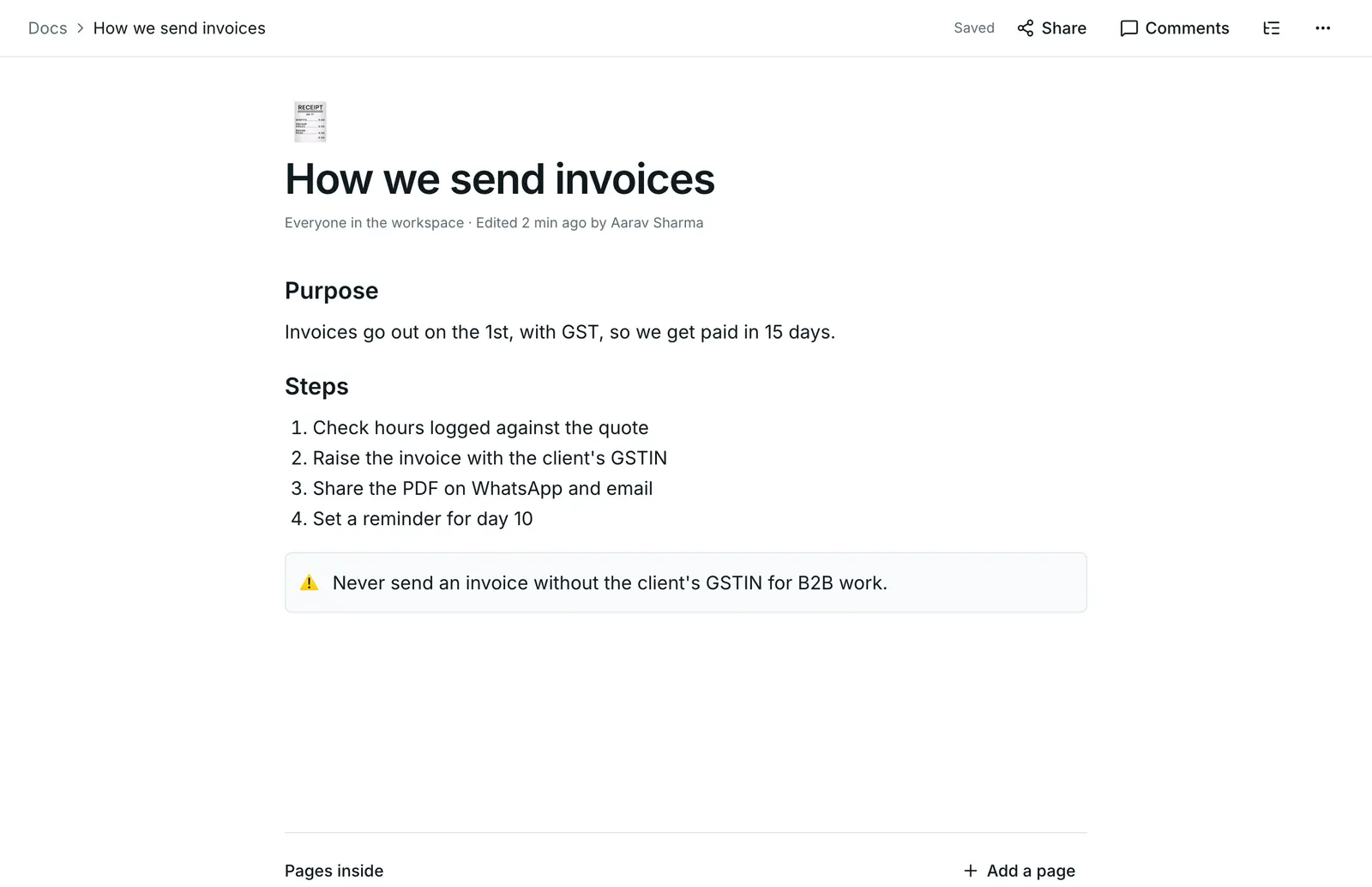
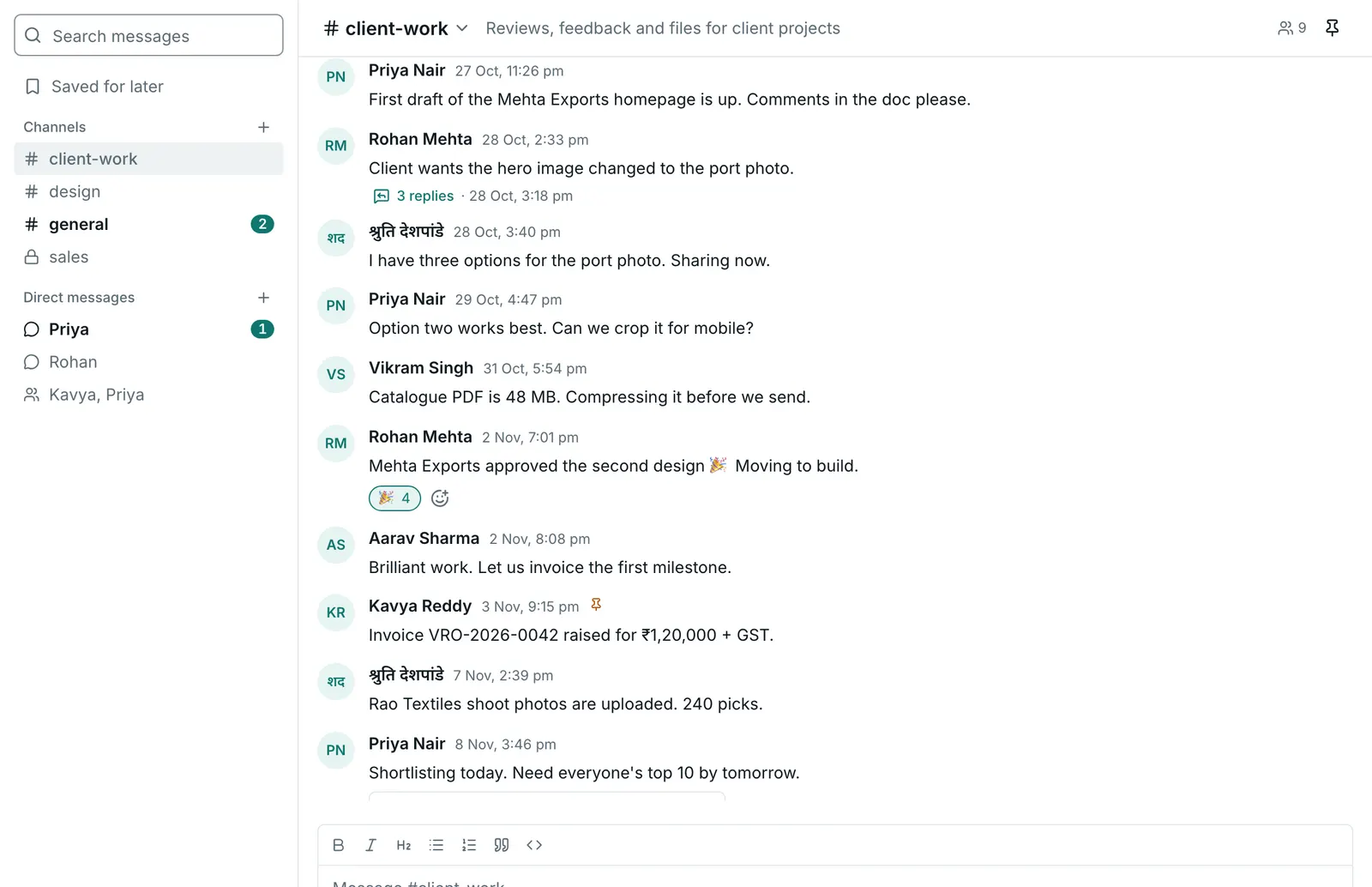
Docs and chat
No more pasting task links into another chat app or hunting for the latest version of a doc. Conversations, documents and decisions sit next to the tasks they are about.
A clean editor: type / for headings, tables, checklists, callouts, code, images and embeds.
Write together with named cursors, and keep working offline. Changes merge when you are back.
Turn any line into a task, and show live task cards inside the doc.
A wiki for every space, with nested pages, covers, icons and a table of contents.
Meeting notes, SOPs, project briefs and client onboarding, ready to fill in.
See what changed and restore any earlier version.
Download as PDF, Markdown or Word.
Channels, direct messages, threads, reactions, mentions, files, voice notes and link previews.
Turn any chat message into a task or reminder in two clicks.
Mentions, assigned comments, updates and reminders in one inbox you clear with the keyboard.
Threaded comments on tasks, docs, contacts and dashboards, with mentions and resolve.
Assign a comment and it stays in that person's inbox until it is done.
Type "tomorrow 9am" or "every Monday 10am" and get reminded in the app or by email.
Record your screen, camera or voice and attach it to a task, comment or message.
Coming soon
Only what you share. Invite a client as a guest to chosen spaces, or share one doc by link with a password and an expiry date.
Keep writing. Your changes to a doc are kept on your device and merge when you are back online.
No. Attach files to tasks, docs and messages, and export any doc as PDF, Markdown or Word whenever you like.
Set up your workspace in a few minutes and try it with real work. Bring your team when you are ready, and leave with all your data if it is not for you.
14-day free trial. No card needed. Cancel anytime.
Try it free for 14 days. No card needed.
Start free trial