Workspaces
Run separate businesses or clients in separate workspaces, and switch in one click.
Work management
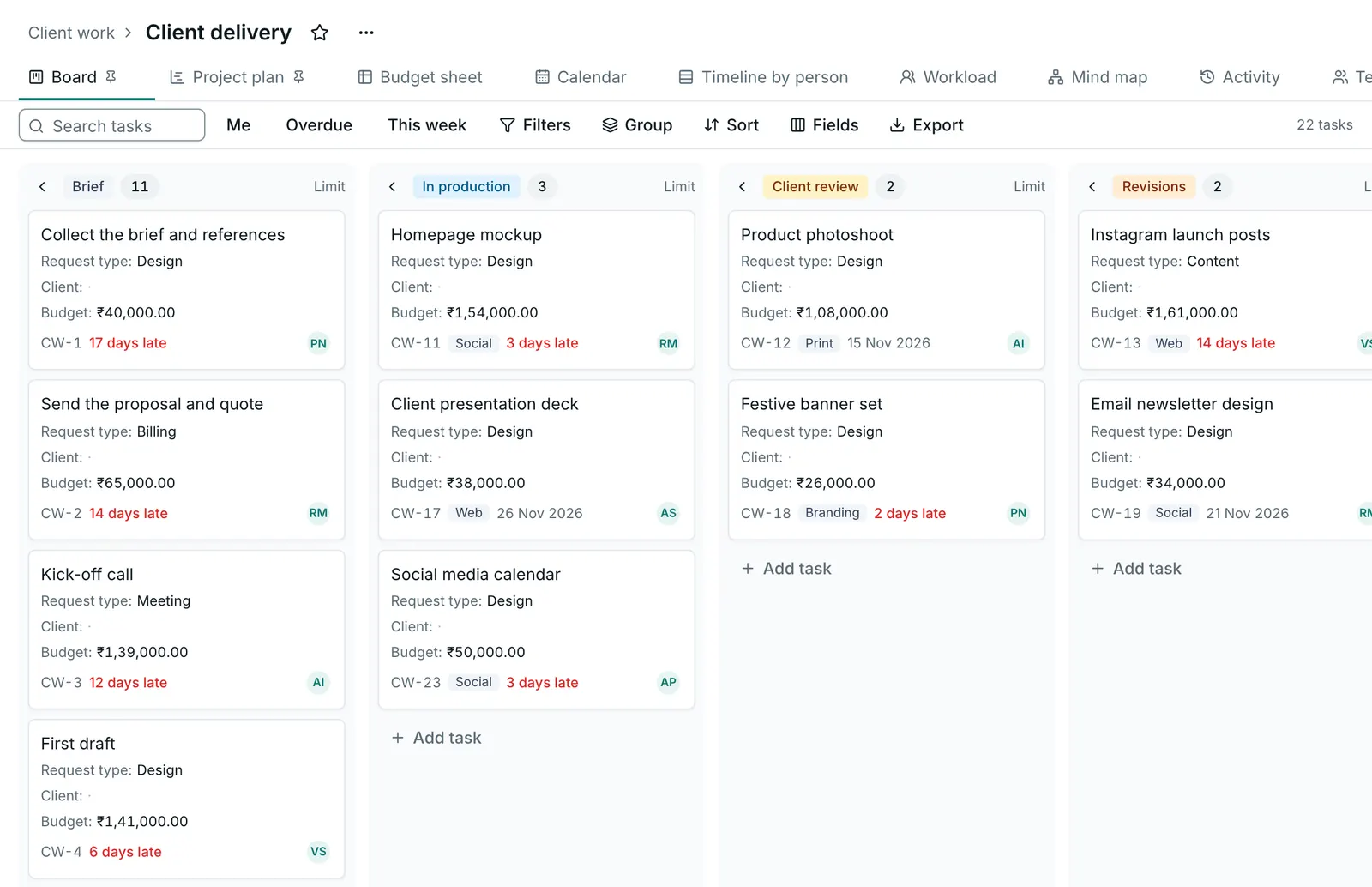
Every client, order and project gets a clear home. Open Voro HQ and see what is done, what is late and who is on it.
14-day free trial. No card needed. Cancel anytime.
What changes
Today
"Any update on this?" messages, all day long.
With Voro HQ
Open the board. The answer is already there, for you and for the team.
Today
Work lives in one person's head, or a spreadsheet only they understand.
With Voro HQ
Every task has an owner, a due date and a status that everyone can see.
Today
You hear about a delay when the client calls.
With Voro HQ
Overdue work shows in red on your Home, and dependencies warn you before something slips.
The real app, on demo data
Work management
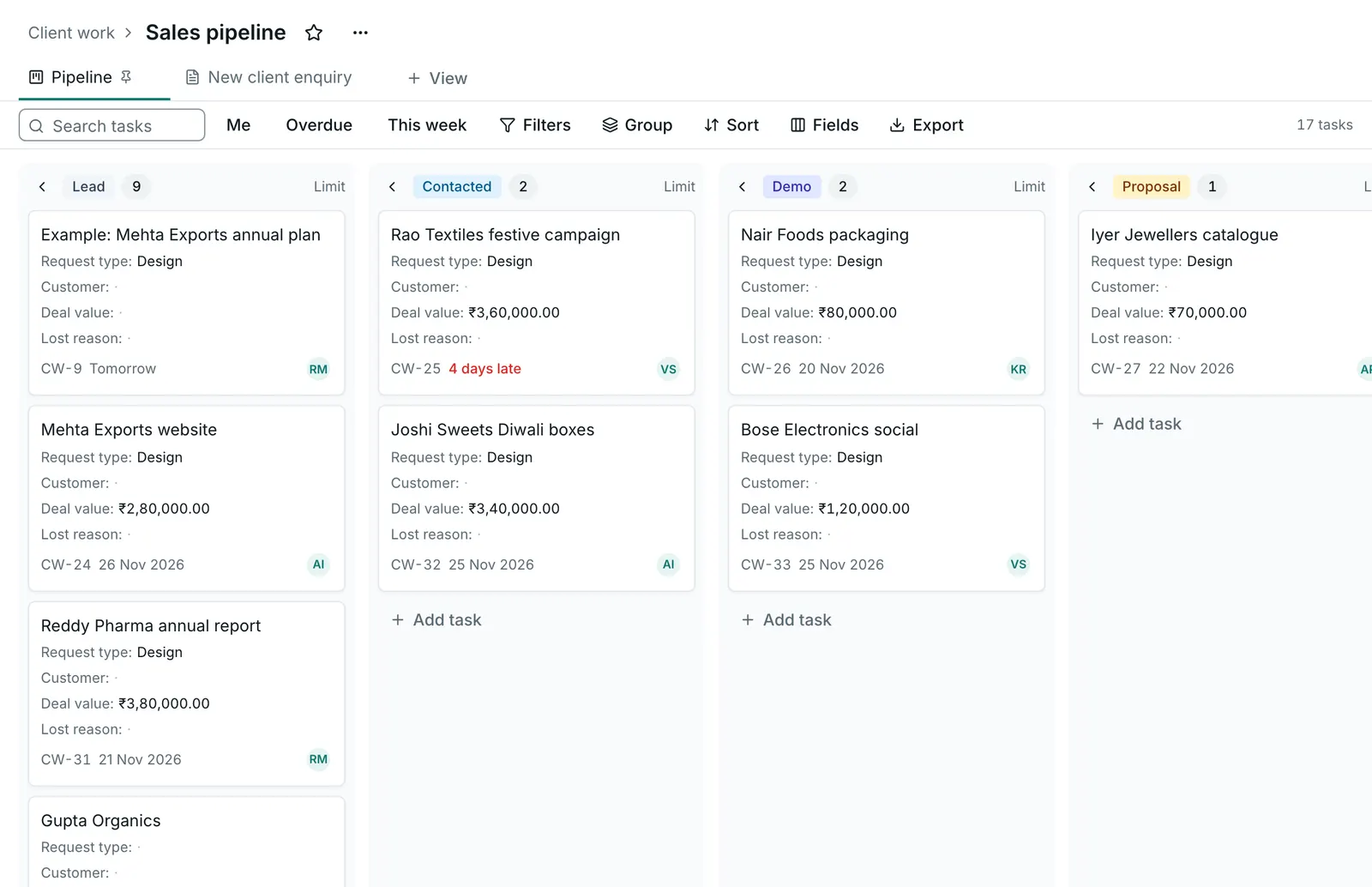
Give each client, team or project its own space. Every task has an owner, a date and a status, so nobody has to ask "what is happening with this?"
Run separate businesses or clients in separate workspaces, and switch in one click.
A clear home for every team, client or project, with colours and icons you spot at a glance.
Move spaces, folders and lists by dragging them where they belong.
Your sales team says "Proposal sent", your designers say "In review". Every space gets its own workflow.
Owners, watchers, priorities, start and due dates, rich descriptions, and subtasks up to five levels deep.
Break any task into simple tick-off steps.
Daily, weekly, monthly, yearly, after completion or your own pattern. Set it once.
Start a timer or log time by hand, mark it billable and see where the hours really go.
Mark what blocks what, and get a warning before something slips.
Show the same task in more than one list without copying it.
Readable IDs like DEV-142 that your team can quote in chat and email.
Over 35 field types, from currency, dates and people to ratings, formulas, files and signatures.
GSTIN, PAN, IFSC and UPI ID fields that check the format as you type.
Spreadsheet-style formulas like IF, SUM and DAYS_BETWEEN that update by themselves.
Link tasks to other tasks and to your contacts.
Keep clients and suppliers with your own fields, linked to any task or list.
Every task linked to a client, in one place.
Bring in contacts and tasks with column matching and duplicate checks.
Moving from ClickUp? Bring your lists, statuses, assignees and custom fields.
Save any space, folder, list or task as a template, or start from ready ones for agencies, content, sales, hiring, events and CA firms.
Archive what is finished to keep lists clean, and bring it back whenever you need it.
Open Voro and see what is overdue, what is due today and what is coming this week. Tick things off as you go.
Press C anywhere and type it like you would say it: "call Mehta tomorrow 4pm #client". The date and list are picked up for you.
Three quick questions, a ready-made sample space and a short tour, so a new team is working in five minutes.
C to create, / to search, J and K to move through lists, ? for every shortcut.
A bottom bar with My Day, My tasks, Create, Inbox and Search, and big tap targets.
Light or dark, three densities, and an accent colour for each workspace.
Views and dashboards
A planner wants a list, a designer wants a board, a manager wants a Gantt chart and a founder wants a dashboard. They all look at the same tasks, and a change in one view shows up everywhere.
Group by status or any field, edit inline and drag tasks between groups.
Drag cards across columns, set work-in-progress limits and swimlanes.
A real spreadsheet: arrow keys, copy and paste with Excel and Google Sheets, fill down, frozen columns and totals.
Drag tasks from an unscheduled tray onto your week and resize them.
Drag bars, draw dependencies, see the critical path and compare against your original plan.
Work on a time axis, grouped by person, client or any field.
Spot who is overloaded and rebalance by dragging tasks between people.
Brainstorm with Tab and Enter, and every idea becomes a real task.
Plot tasks and clients with an address on a map.
Forms that create tasks by themselves. Good for client requests, leads and job applications.
What changed today, and who is working on what right now.
Every task in the workspace, or just yours, in one view.
Each view remembers its filters and columns. Keep it personal or share it.
Filter on any field with AND and OR groups and one-click quick filters.
Download any view as CSV, Excel or PDF, with Hindi names and the rupee symbol printed correctly.
Drag, drop and resize widgets to build the dashboard you need, on desktop or phone.
Charts, burndown, workload, time tracked, overdue lists, sums of any number field, notes and leaderboards.
Click any part of a chart to see the exact tasks behind it.
Put your dashboard on the office screen, full screen.
Founder overview, agency delivery, sales activity and team workload, ready to use.
Show goal progress and habit streaks on any dashboard.
A new teammate can add a task in their first minute: press C and type it the way you would say it. A sample space and a short tour show the rest.
Import tasks and contacts from a CSV file. From ClickUp, bring your lists, statuses, assignees and custom fields across.
Start with one list. Add boards, custom fields and dashboards when you need them. Nothing makes you use everything.
Set up your workspace in a few minutes and try it with real work. Bring your team when you are ready, and leave with all your data if it is not for you.
14-day free trial. No card needed. Cancel anytime.
Try it free for 14 days. No card needed.
Start free trial